

Chapter 01
What Scenic is
StageGlass Scenic runs the screens in your shot: the monitors on a set, the wall in a control room, the TV in the background of a lobby. You put content on them, cue them together, match them to camera, and put them back exactly as they were for the next take.
Scenic is made of four parts. Three are apps you open. The fourth, the Server, runs in the background.
| Part | Runs on | What it does |
|---|---|---|
| Scenic Controller | Mac, iPhone, iPad | Where you run the show: pick screens, send content, cue, grade, save and recall Snapshots. |
| Scenic Player | Mac, iPhone, iPad, Apple TV, Windows PC | Shows content on its screens and does what the Server tells it. A Player with two displays has two screens. |
| Scenic Decorator | Mac | Builds decks for screens: fake desktops, monitors, signage. Imports Keynote and PowerPoint. Hands the finished deck to the show. |
| Server | A Mac, in the background | Owns the Show. Every cue from every Controller, console or timecode goes through it to the Players. |
How the parts fit together
The Server keeps the Show: which Players are in it, how they are grouped, the content Library, the Snapshots, the timecode cues and the settings. It is the only thing that sends commands to Players. Each Player belongs to one Server at a time.
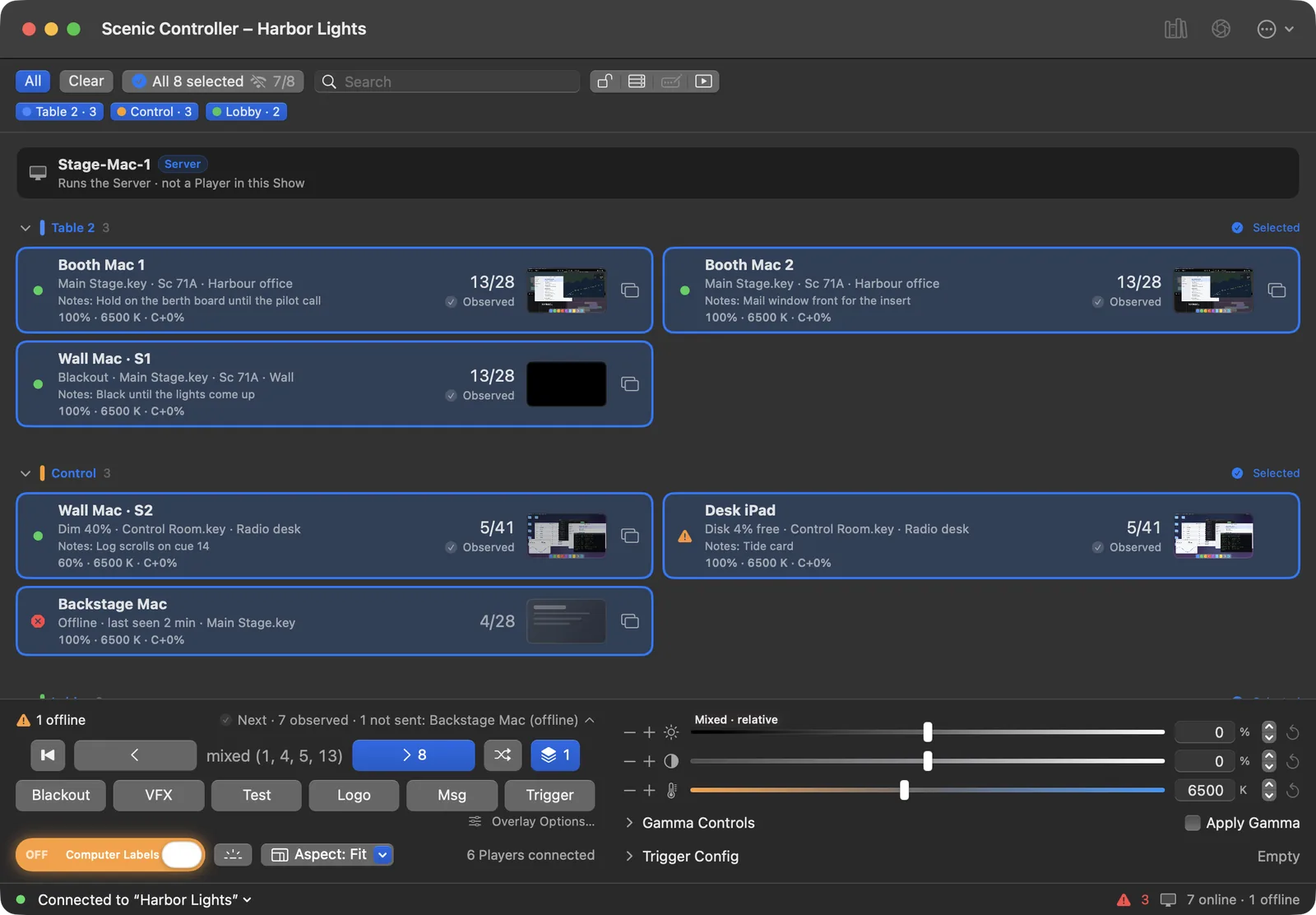
A Controller attaches to the Server and gives you the controls. You can have several Controllers on one Show: the Mac at the desk, an iPad on a stand, an iPhone in your pocket. They all see the same Show, and each press is labelled with the Controller that made it.
Players show what they are told and report back what they are actually showing. That report is what you see on each screen's card in the Controller.
Consoles and timecode use the same road. An OSC message from a lighting desk or a Stream Deck, or a cue fired by LTC, goes into the Server and out to the Players exactly as if you had pressed the button on a Controller.
   Controllers (Mac, iPhone, iPad)     OSC consoles, Stream Deck     LTC timecode
                 \                              |                     /
                  \_____________________ Server (background) ________/
                                     owns the Show, sends every cue
                                                |
                 Players: Mac · iPhone · iPad · Apple TV · Windows PC
each output is a screen; each reports what it showsWhere the Server runs
Most of the time you never think about it. When you open Scenic Controller on a Mac, it starts the Server on that Mac in the background. Close the Controller and the Server keeps going for 30 minutes in case you come back, then stops by itself. Your screens keep their picture the whole time.
On a bigger show you can give the Server its own Mac, a location Mac that stays on the cart or in the rack. Controllers join it over the network. If your laptop leaves the building, the show does not. See Moving the Server, and rescue.
Words this guide uses
| Word | Meaning |
|---|---|
| Show | Everything the Server keeps for one production: Players, groups, Library, Snapshots, timecode cues and settings. |
| Server | The background process that owns the Show and sends every command to the Players. |
| Player | A computer or device running Scenic Player. |
| screen | One display output of a Player. Every cue targets screens. A Mac with two monitors is one Player with two screens, written Wall Mac · S1 and Wall Mac · S2. |
| Player List | The list of screens in the Controller's main window. |
| Network window | Every Player on the network, in the Show or not, with setup and maintenance. |
| Snapshot | What every screen showed at one moment, saved so you can bring it back. |
| Grid | A floor plan of the set with each screen placed where it really is. |
| Library | The decks and media on the Server, ready to send. |
The Glossary has the full list.
What makes Scenic different
- Cues land together. One press of Next moves every selected screen, on every kind of Player, at once. Video on several screens starts on the same frame.
- You always know what a press will touch. The selection is on screen, and a cue goes only to what you selected when you pressed.
- You know whether it landed. Each screen reports back. "Accepted" means the Server sent it; "Observed" means the Player says it is on screen. Scenic never shows a slide as changed because you pressed a button.
- Keynote and PowerPoint without Keynote or PowerPoint. Scenic reads
.keyand.pptxfiles itself and plays them on every Player, Windows PCs included. No show machine needs either app installed. - It checks content before it sends. If a screen cannot play something exactly, you are told which slide, what changes and why, before anything leaves the Server.
- No accounts, no pairing codes. Scenic works on the show network with no internet connection. Players are found on the network and added with one click.